
⚡ Important: This Guide is for Legacy UID-Only Systems
This article applies to legacy 125 kHz RFID systems (such as EM4102/EM4200, HID Prox) that rely solely on the UID for access control. These systems are common in residential and commercial buildings but have inherent security limitations.
13.56 MHz systems (Mifare DESFire, LEGIC, etc.) that are correctly configured use encrypted sectors, mutual authentication, and application-level security—they do not rely on UID alone. These recommendations do not apply to properly configured 13.56 MHz systems.
Exception: If your 13.56 MHz system is configured in "UID-only mode" (ignoring advanced security features), then these recommendations do apply.
At a Glance
- Don't order UIDs sequentially; use randomized ranges to prevent sequential attacks
- Rotate keys in lots to neutralize cloned keys from past users
- Choose large UID formats to increase entropy and reduce guessing success
- Expand UID space using multiple facility codes if your system supports it
- Offer multiple form factors to improve adoption and reduce tailgating
How Legacy RFID Access Control Works
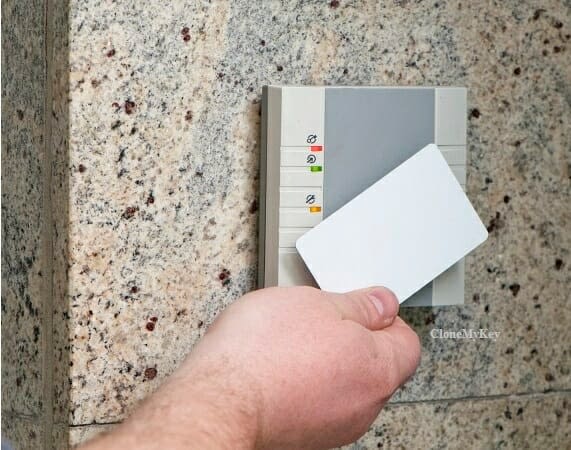
Legacy 125 kHz RFID access control uses a card or fob with a unique identification number (UID). When presented to a reader, the controller checks that UID against a central database, confirms door-level and time-based privileges, and logs the event. While RFID boosts auditability and convenience, UID-only systems do not inherently prevent duplication—strong policy closes that gap.
UID is checked against time windows and door-level privileges before granting access
Key Components
Unique Identification (UID): Each key contains a digital number stored in an RFID chip. This UID is the only credential that the system recognizes—there is no encryption or challenge-response authentication in legacy 125 kHz systems.
Central Controller & Database: The controller stores authorized UIDs along with their access privileges, time schedules, and door permissions.
Logging & Auditing: Every access attempt is recorded with timestamp, UID, door location, and grant/deny status—critical for security investigations.
Privilege Management: Administrators can instantly authorize or revoke keys, set time-based access (e.g., 9 AM–5 PM), and configure door-specific permissions.
Common Pitfalls & Solutions
⚠️ Sequential Attack Risk
The Problem: Most access control suppliers offer keys with UIDs in sequential order (e.g., 1000, 1001, 1002…). While convenient for tracking, this creates a vulnerability. If an attacker obtains one valid UID, they can guess nearby UIDs through brute-force attempts.
How to Mitigate:
- Order UIDs from randomized ranges instead of sequential blocks
- Monitor controller logs for high-frequency denial patterns
- Enable rate-limiting for failed attempts if your controller supports it
- Use larger UID formats with higher entropy (see below)
If an attacker knows UID 1000 is valid, they can probe nearby numbers
Lot Rotation Strategy
💡 Protect Against Cloned Keys
Duplication or "cloning" of UID-only RFID keys is straightforward—anyone with basic technical knowledge can copy a UID to a blank key. The clone works as long as the original UID remains authorized. The lot rotation method neutralizes clones from past users.
The Lot Method: Purchase three times your required key count and divide them into three separate lots. Rotate which lot is active on a scheduled basis (e.g., annually or when turnover is high).
How It Works
Step 1: Assign keys from Lot 1 to all users.
Step 2: When a user moves out or leaves employment, collect their Lot 1 key but do not re-authorize it.
Step 3: After sufficient turnover (e.g., 12–18 months), deactivate all Lot 1 keys and activate Lot 2.
Step 4: Any clones made from Lot 1 keys are now inert. Repeat the cycle with Lot 3, then back to Lot 1.
💡 License-Based Systems
While you need to purchase three lots of physical keys, you only need licenses for one lot—since only one lot is active at any given time. This keeps software costs manageable.
UID Format Size & Entropy
Not all RFID keys are created equal. The "format" refers to the bit-length and structure of the UID. Larger formats have exponentially more possible UID combinations, making brute-force attacks impractical.
| Format | UID Structure | Possible UID Space | Brute-Force Feasibility | Recommended Use |
|---|---|---|---|---|
| 26-bit (HID Prox) | 8-bit facility + 16-bit card | ~65,000 per facility code | High risk | Legacy only; plan migration |
| 37-bit (HID Corp 1000) | 16-bit facility + 19-bit card | ~524,000 per facility code | Moderate risk | Small to mid-size buildings |
| EM Format Series | 40-bit UID (EM4102/EM4200) | ~1.1 trillion | Low risk (if randomized) | General residential/commercial |
| Mifare Classic 1K (UID Only Mode) | 32-bit UID (8 hex digits) | ~4.3 billion | Low risk (if randomized) | UID-only 13.56 MHz deployments |
Key Takeaway: Choose the largest UID format your hardware supports, and always pair it with randomized UID allocation.
Expanding UID Space with Multiple Facility Codes
💡 Advanced Strategy: Multi-Facility Code Deployment
For HID Prox and similar formats: If your access control system supports multiple facility codes simultaneously, you can dramatically expand your effective UID space.
Example with 26-bit HID Prox:
- Single facility code: 5-digit card numbers (00001–65535) = ~65,000 combinations
- Multiple facility codes: Add 3-digit facility code (001–255) = 8-digit total namespace
- Result: ~16.7 million possible combinations (255 facility codes × 65,535 cards)
Implementation: Configure your access control system to accept multiple facility codes. Distribute keys across different facility codes using randomized ranges. This makes sequential attacks exponentially harder while maintaining backward compatibility with existing hardware.
When Legacy Systems Are Still Appropriate
While this guide focuses on securing legacy 125 kHz UID-only systems, it's worth asking: should you upgrade to a more secure system? The answer depends entirely on what you're protecting and your threat model.
Evaluating Your Security Requirements
Before investing in a costly upgrade to 13.56 MHz encrypted credentials or smart lock systems, property owners should conduct a simple risk assessment:
🔍 Key Questions to Ask
- What does this access point protect? Is it the sole barrier to private spaces, or just one layer of multiple security controls?
- What's behind the door? Common areas and lobbies have different security needs than server rooms or sensitive areas.
- Do individual units have separate locks? If residents use traditional metal keys or separate electronic locks for their units, the building entrance is only controlling access to common areas.
- What's the traffic volume? In high-traffic buildings, tailgating is common regardless of credential technology—access control primarily provides audit logs, not absolute prevention.
- What's the real-world threat? Are you protecting against sophisticated attackers, or simply managing authorized access for residents and guests?
When Legacy Systems Make Sense
Front doors to large residential complexes: If the building entrance leads only to common areas (lobbies, mailrooms, hallways) and each unit has its own separate locking mechanism (metal keys, smart locks, etc.), a legacy 125 kHz system with proper lot rotation policies is often sufficient. The primary value is convenience and audit trails, not high-security access control.
High-traffic environments: In buildings with significant foot traffic, tailgating is nearly impossible to prevent regardless of credential technology. Someone can just as easily follow an authorized person through a door whether they're using a $2 proximity fob or a $20 encrypted smart credential. In these scenarios, the access system's main purpose is logging who should have access, not physically preventing unauthorized entry.
Budget constraints: Upgrading to 13.56 MHz encrypted systems (Mifare DESFire, LEGIC advant, etc.) can cost 3–10× more per credential, plus potential reader hardware upgrades. If your security needs don't justify the expense, implementing the policies in this guide (randomized UIDs, lot rotation, monitoring) can provide adequate security at a fraction of the cost.
When to Upgrade Beyond Legacy Systems
Single-barrier security: If the RFID credential is the only thing protecting private spaces, storage areas, or sensitive equipment, consider upgrading to encrypted credentials or adding a secondary authentication factor (PIN, biometric, etc.).
High-value assets: Server rooms, pharmaceutical storage, research facilities, and similar environments should use cryptographically secured credentials with mutual authentication.
Compliance requirements: Some industries (healthcare, finance, government) may have regulatory requirements that legacy UID-only systems cannot meet.
Low turnover, long-term access: If users retain credentials for many years with minimal turnover, lot rotation becomes impractical, and the cloning risk increases. Encrypted credentials provide better long-term security.
💡 Practical Recommendation
For most residential and light commercial applications where the access point protects common areas and secondary locks protect individual spaces, a well-managed legacy 125 kHz system provides adequate security at reasonable cost. Focus your budget on:
- Implementing lot rotation policies
- Ordering randomized UID ranges
- Regular audit log review
- User education about not propping doors or sharing credentials
Save the upgrade budget for protecting high-value assets or single-barrier entry points where credential security truly matters.
Form Factors & User Adoption
Offering multiple form factors significantly improves user compliance and reduces tailgating. When users can choose a format that fits their lifestyle, they're more likely to carry and use their credential consistently.
Key Fob
Classic keyring attachment. Durable, affordable, and familiar to most users.
Card
Wallet-friendly option. ISO card format fits standard wallets and badge holders.
Wristband
Ideal for gyms, pools, or active users. Always accessible, can't be forgotten in pocket.
Sticker Key
Adhesive-backed tag for phones or other devices. Popular with tech-savvy users.
Adoption Best Practices
- Offer choice: Let users select their preferred form factor during onboarding
- Replacements: Allow form factor changes at low or no cost to encourage actual use
- Clear instructions: Provide photos showing proper reader placement for each form factor
- Multi-credential option: For facilities with gyms or pools, consider issuing both a card (for wallet) and wristband (for swimming)
Implementation Checklist
✅ Legacy RFID Security Checklist
- Order UIDs from randomized ranges, not sequential blocks
- Purchase 3× key count and implement lot rotation strategy
- Choose the largest UID format your hardware supports
- Enable multi-facility code support if available (HID Prox systems)
- Configure controller logging and set up regular log review
- Implement rate-limiting or alert thresholds for failed access attempts
- Offer multiple form factors (fob, card, wristband, sticker)
- Train staff on proper key collection during move-out/termination
- Document lot rotation schedule and set calendar reminders
- Establish process for monitoring and investigating access anomalies
- Post signage reminding users not to prop doors or share credentials
- Evaluate whether legacy system is appropriate for your threat model
Ongoing Monitoring & Maintenance
Log Review Procedures
Regular audit log review is critical for detecting security issues early. At minimum, review logs monthly for:
- High-frequency denials: Multiple failed attempts in short timeframe may indicate brute-force attack
- Off-hours access: Legitimate users accessing outside normal patterns
- Terminated users: Cross-reference access logs against current resident/employee roster
- Anomalous patterns: Same UID used at multiple doors simultaneously (cloning indicator)
Annual Policy Review
Schedule an annual security review to evaluate:
- Lot rotation timing based on actual turnover rates
- Whether UID format needs upgrade as attack tools evolve
- Form factor availability and user feedback
- Whether threat model has changed (e.g., new high-value assets added)
Frequently Asked Questions
Conclusion
Legacy 125 kHz RFID access control systems aren't going away anytime soon—millions are deployed worldwide, and for many use cases, they provide adequate security at an affordable price point. The key is understanding their limitations and implementing smart policies to mitigate inherent vulnerabilities.
The three pillars of secure legacy RFID deployment are:
- Randomized UID allocation to prevent sequential attacks
- Lot rotation to neutralize cloned keys from past users
- Appropriate threat assessment to ensure the system matches your security needs
By following the guidelines in this article, property managers and security administrators can operate legacy systems responsibly while maintaining user convenience and keeping costs reasonable. Remember: perfect security doesn't exist, but informed decisions about risk trade-offs lead to practical, effective outcomes.
Badger Access Control, INC
30 W Mifflin St. Suite 903
Madison, WI 53703 USA
Appointment Required